Roles & Permissions
Description
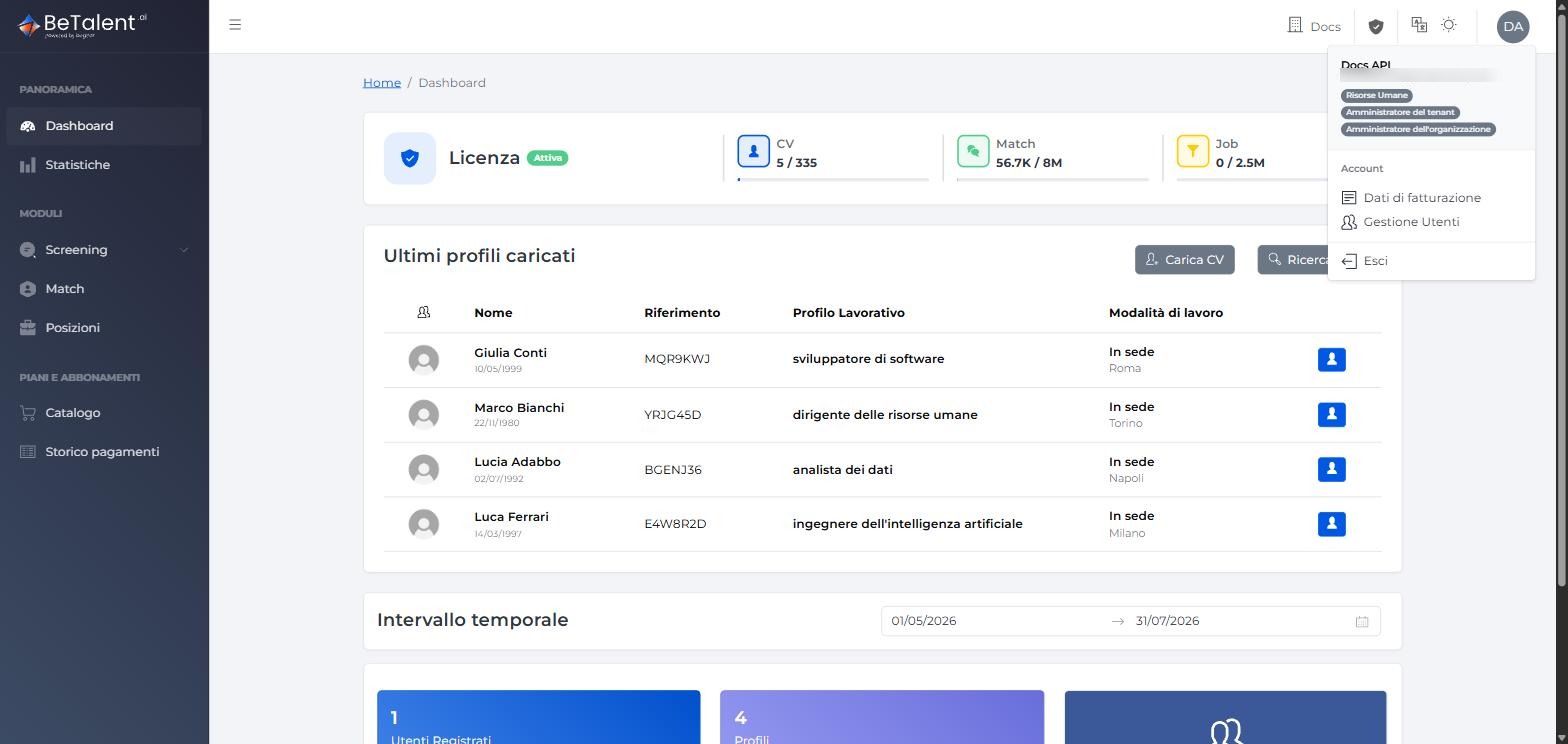
BeTalent controls access to platform features through roles assigned to each user. A single user can hold more than one role at once — this already happens for the very first user of a new tenant, who receives all three roles below during Sign-Up.
This page collects, role by role, what's already documented elsewhere in this guide. It isn't an exhaustive list of every permission on the platform — as we document new features, we'll keep this page updated too.
Available Roles
| Role | What it can do (documented in this guide) |
|---|---|
| HR | Accesses Dashboard and Statistics; uses Screen and Match; creates and manages Job Position, including being assigned as the "internal owner" on a position. |
| Tenant Admin | Handles the tenant's administration: Billing Data, purchasing packages, and Payment History. A distinct scope from HR — it's about the tenant's commercial administration, not recruiting operations. |
| Organization Admin | Represents the organization at the platform level. Has no actions of its own beyond Tenant Admin's, but exercises them across every tenant in the organization instead of just one. |
These three roles don't form a single cumulative hierarchy: HR and Tenant Admin cover distinct areas of the platform (recruiting operations vs. tenant administration); Organization Admin doesn't add new actions on top of Tenant Admin, it extends their reach to every tenant in the organization. In practice today all three roles get assigned together to the same user at sign-up (see below) — a model with overlap but distinct meanings, similar to Stripe's roles.
The app's Account menu (profile icon, top right) also includes User Management — a separate page, administrative feature not yet covered in this guide. The Organization and Role Management entries have been temporarily removed from the app (not yet functionally useful) and will return after a restyle/review — we'll update this page accordingly.
How They're Assigned
- At sign-up — whoever completes Sign-Up automatically receives all three roles (Organization Admin, Tenant Admin, HR) on the new tenant.
- For subsequent users — managing additional users happens from the Account → User Management menu, not yet documented in this guide. Managing roles through the UI (Role Management) is temporarily unavailable — see the note above.
Related
- Sign-Up — where a tenant's first three roles get assigned.
- Catalog — reserved to Organization Admin and Tenant Admin.
- Platform & Account — the other features tied to the tenant's account.