Platform & Account
Beyond the AI-powered Modules, BeTalent provides a set of features that support running the platform day to day: self-service provisioning of the organization's account, and keeping visibility on activity. These features are delivered through the BeTalent web application.
Available Features
Roles & Permissions
Who can do what on the platform: the available roles (HR, Tenant Admin, Organization Admin) and how they're assigned.
Sign-Up (Form B2B)
Self-service flow through which a new organization registers itself, creates its tenant, and activates a Trial license — no manual provisioning required.
→ Sign-Up
Catalog
Self-service flow through which an admin purchases a paid package directly from the portal: payment on Stripe and an automatic update of the tenant's license once it's done.
→ Catalog
Dashboard
Landing page for HR/ADMIN users with the platform's main trends (users, candidates, CVs), quick actions, and active license status.
Statistics
Aggregated, detailed analytics on users, candidates, CVs, skills and profile attributes, for deeper trend analysis.
Coming soon, as part of self-service provisioning: a candidate-facing (B2C) self-service sign-up, and a recurring Subscription purchase mode alongside the current one-off ("Pay per Use") mode.
Navigation: Sidebar, Account Menu and License
-
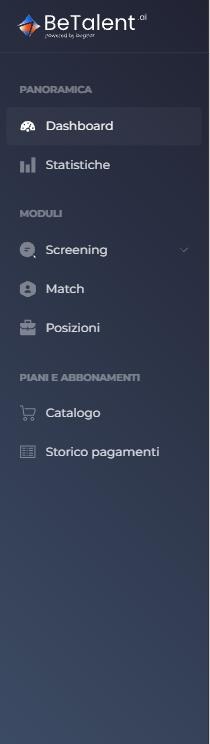
Sidebar — the Plans & Subscriptions section is always visible (not an accordion) and holds Catalog and Payment History.
-
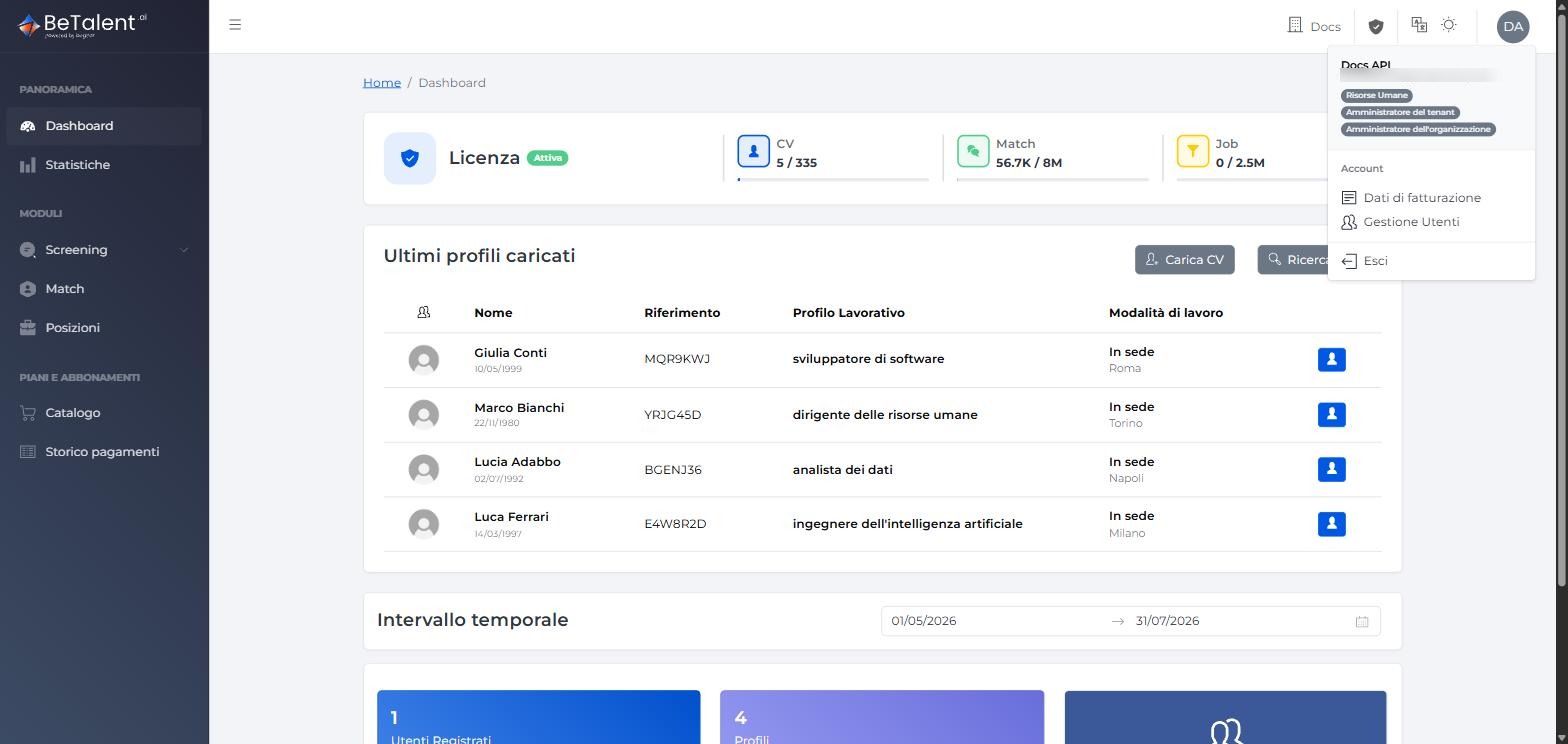
Account menu (profile icon, top right) — 3 entries: Billing Data, User Management, Log Out. The Organization and Role Management entries have been temporarily removed (not yet functionally useful) and will return after a restyle/review — we'll update this guide accordingly. See Roles & Permissions for who can access the Account menu.
-
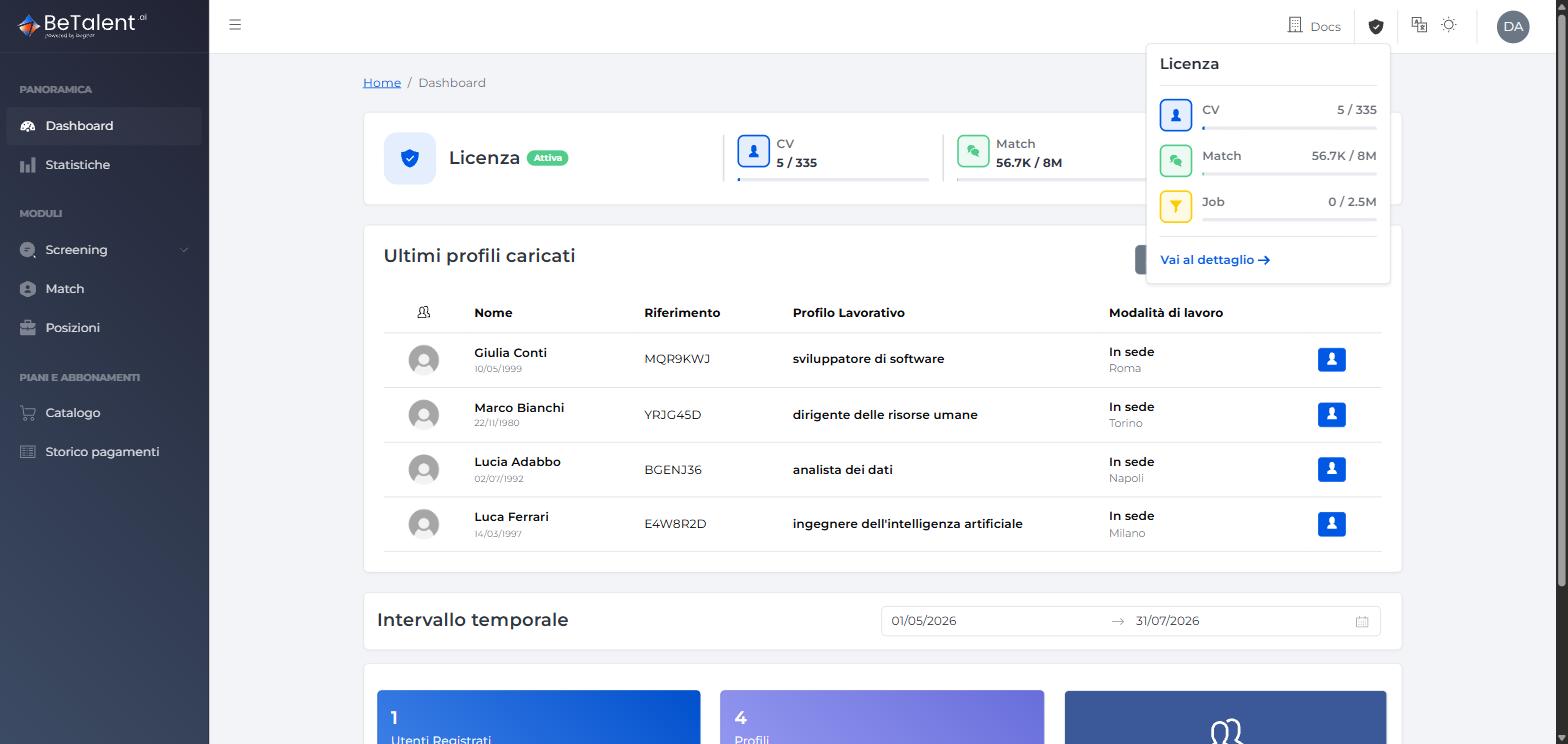
Header — "License" popup — the shield icon in the header opens a summary of current quotas (CV, Match, Job) with a "Go to detail" link to the license detail page. It's a separate area from Payment History: the license covers usage and quotas, payments cover Stripe transactions.
Related
- Modules — the core AI capabilities (Screen, Match, Job Position).
- User Guide — step-by-step instructions for using these features in the platform.