Payment History
This page explains how to review your tenant's history of package purchases. For an introduction to the purchase flow, see Catalog — Overview.
Where to find it
In the left-hand menu, in the always-visible Plans & Subscriptions section, click Payment History — distinct from the Account menu's Billing Data, which manages the tenant's billing data instead.
What you'll see
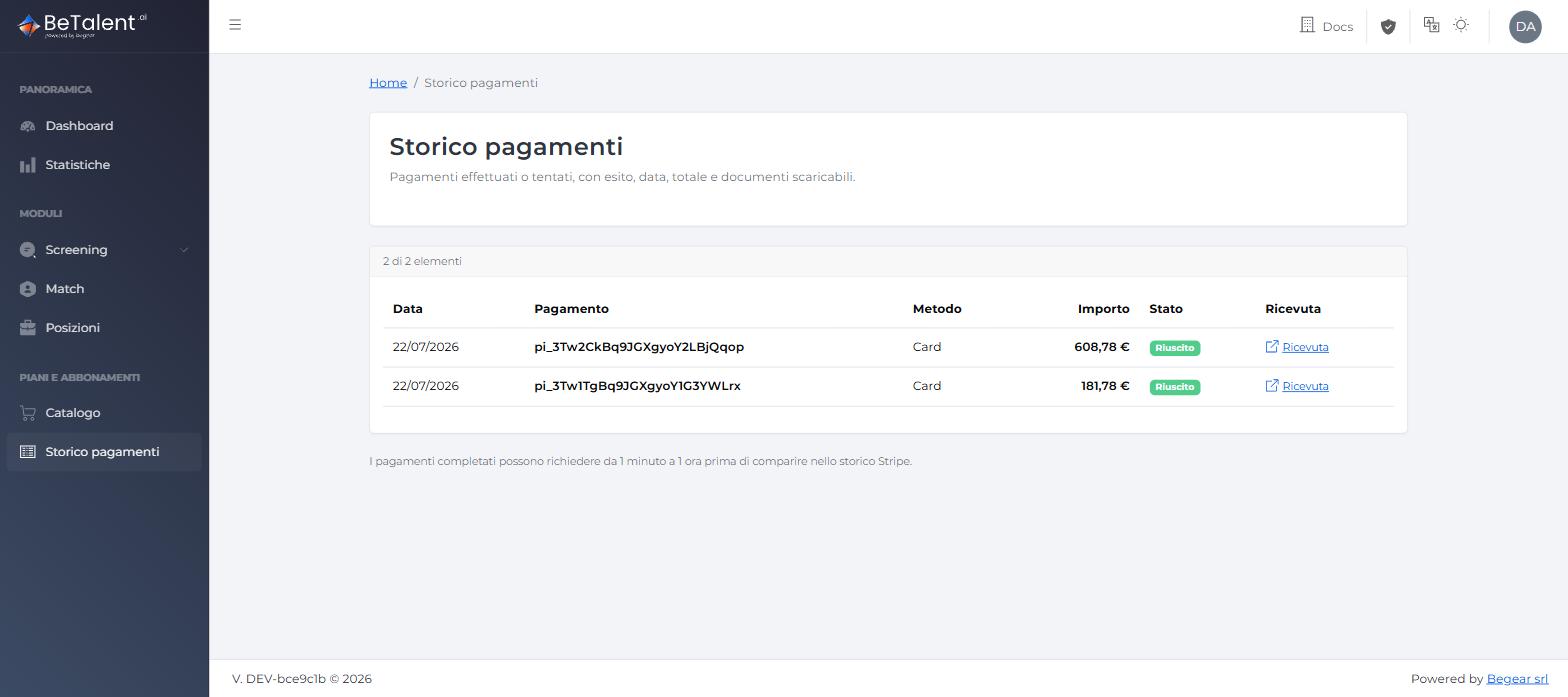
The Payment History page shows a table with one row per purchase made by the tenant:
- Date — the payment's date.
- Payment — the payment's identifier on Stripe.
- Method — the payment method used (e.g. Card).
- Amount — the total paid, VAT included.
- Status — a badge (e.g. Succeeded) with the payment's outcome.
- Receipt — a link to the Stripe receipt for the payment.
Data is read directly from Stripe, which is the source of truth: a purchase that just completed can take anywhere from 1 minute to 1 hour to show up in this list.
Related
- User Guide — Catalog — the flow that generates the entries in this list.
- User Guide — Billing Data — the company data used to generate the invoices.