Match — Searching Candidates
Match → Ricerca Profili lets HR search and rank every profile processed by Screen against a set of criteria, independent of any job position. For a high-level introduction to the module, see Match — Overview.
This is the module-level search. If you're looking for candidates for a specific job position instead, see Job Position — Searching & Associating Candidates, which uses the same underlying scoring but saves results against that position.
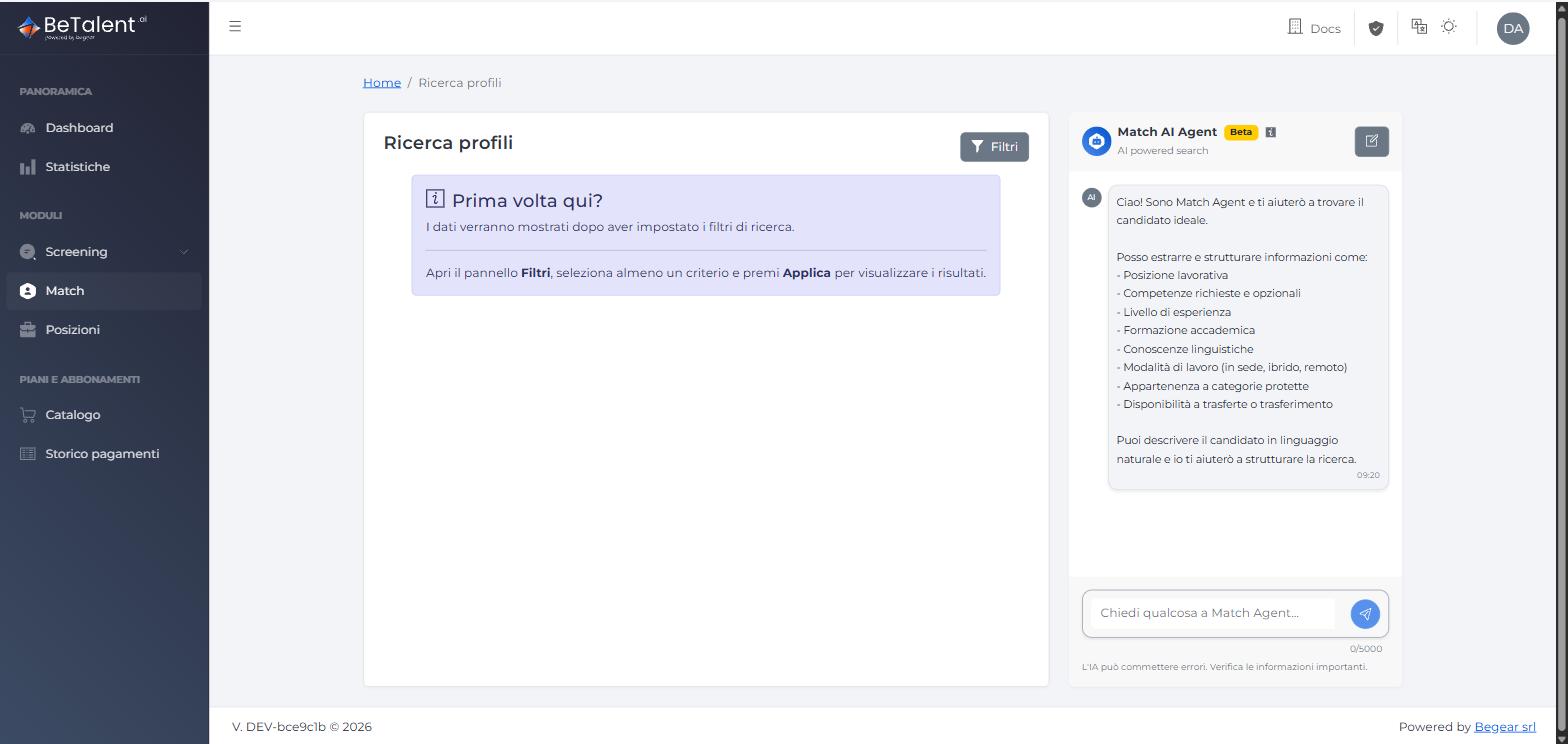
The first time you open the page, no results are shown until you set at least one filter — either through the filters panel or by describing what you're looking for to the Match Agent, which is docked on the right at all times:
Using the Filters panel
Click Filtri to open the full panel:
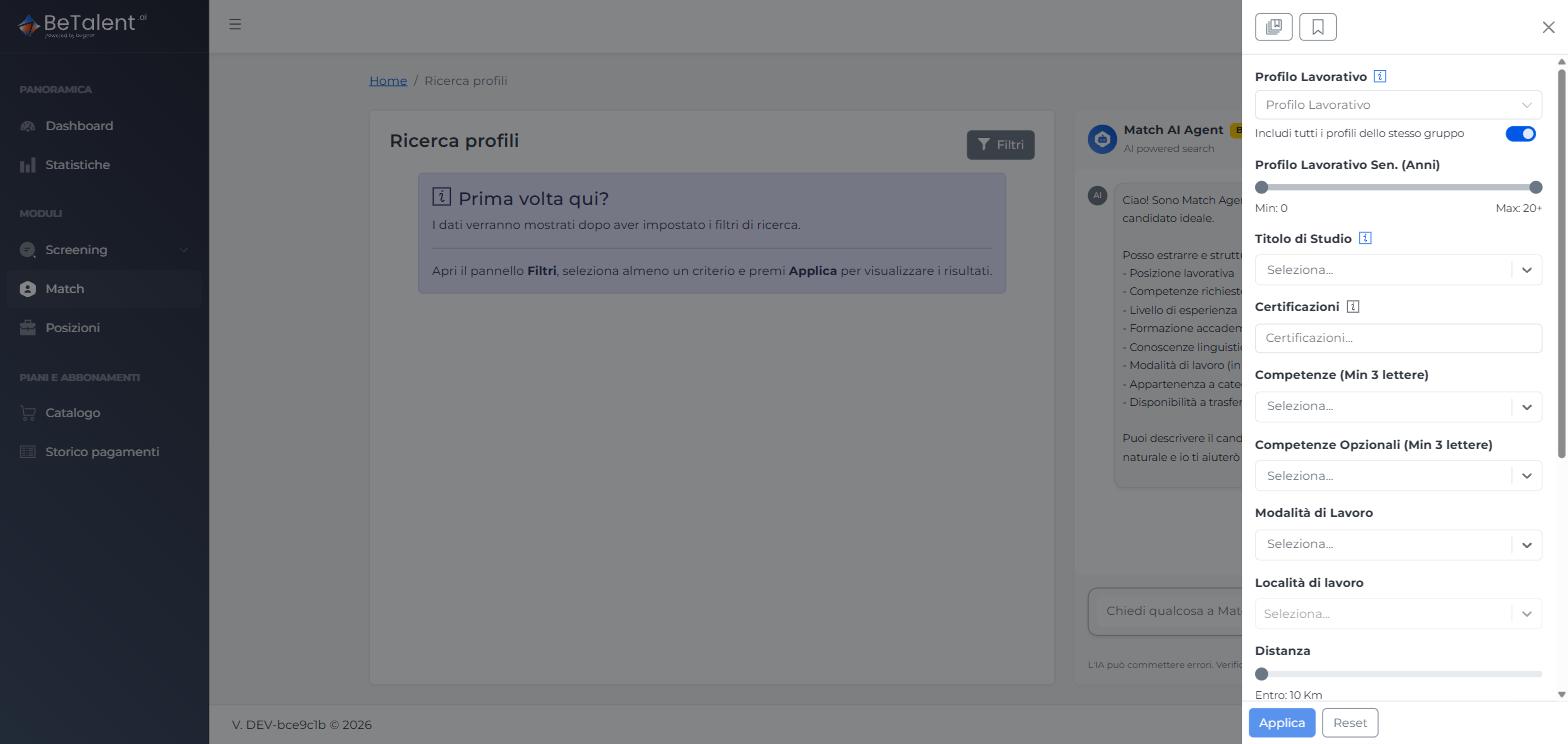
Available filters:
- Profilo Lavorativo — with an "Includi tutti i profili dello stesso gruppo" toggle — and Profilo Lavorativo Sen. (Anni) seniority range
- Titolo di Studio, Certificazioni
- Competenze (required, min. 3 characters) and Competenze Opzionali (min. 3 characters)
- Modalità di Lavoro, Località di lavoro, Distanza
- Età, Lingua
- Categoria Titolo di Studio, RAL Massima
- Checkboxes for Categoria Protetta, Disponibilità Trasferimento, and Disponibilità Trasferta
All filters combine with AND, except Modalità di Lavoro, which combines multiple selections with OR (e.g. Ibrido + Remoto matches either). A Priorità calcolo punteggio list lets you drag criteria into the order that matters most to you — it feeds directly into how candidates are scored and ranked. Click Applica to run the search.
Using Match Agent (Beta)
Instead of the filters panel, you can describe the candidate you're after in plain language in the chat on the right. The agent maps your description onto the same filter set — job title (ESCO), required and optional skills, languages (CEFR), education (ISCED), experience/seniority, location and distance, work mode, expected salary, protected category, and relocation/travel availability — and corrects obvious typos in skill names on its own (e.g. "phyton" → "python").
In practice, the agent sets the filters and runs the search right away rather than waiting for a yes/no first, then follows up asking whether you'd like to narrow or broaden the criteria further:
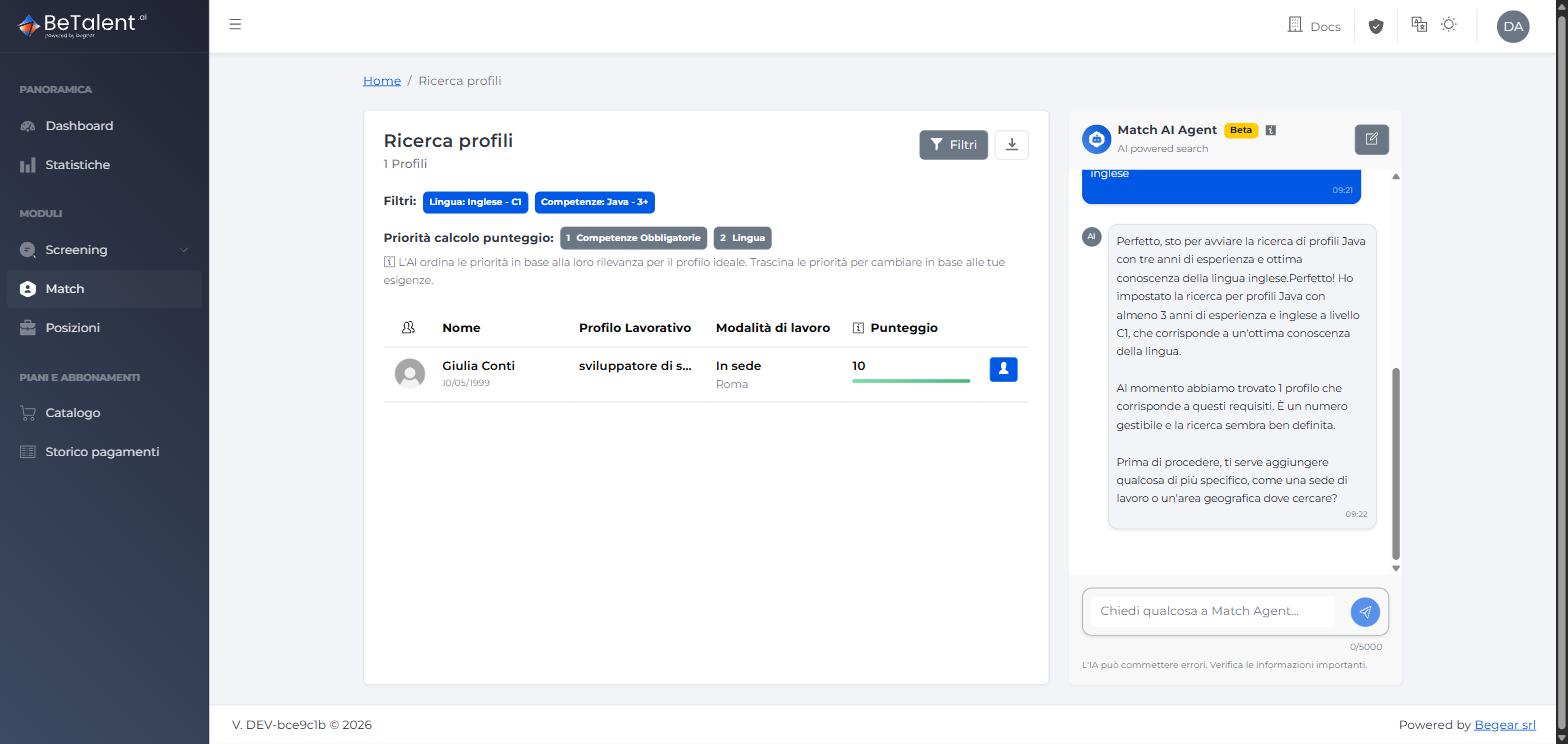
Both short, direct descriptions and full job descriptions pasted as-is work as input. For example:
-
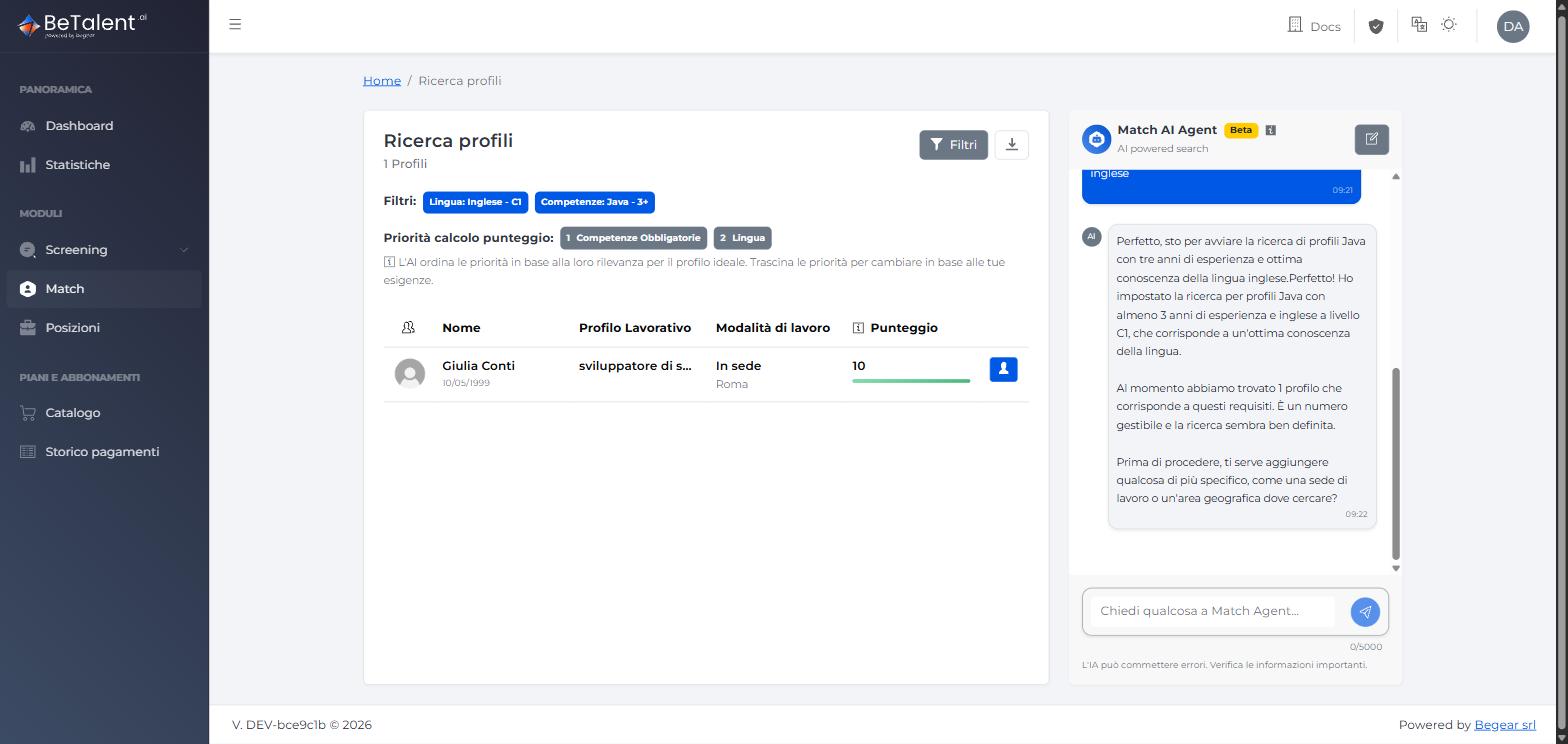
A short, direct request — "sto cercando un profilo java con 3 anni di esperienza e ottima conoscenza della lingua inglese" — maps cleanly onto Competenze (Java), seniority (3 years) and Lingua (English), and returns matching candidates directly:
-
A full job description pasted in as-is, e.g. a "Java Backend Developer" posting listing required skills, soft skills and team context in several paragraphs, is parsed into the same filter set — but a longer, more specific description narrows the criteria enough that it can return zero results. When that happens, the agent says so and suggests which criteria to relax to broaden the search:
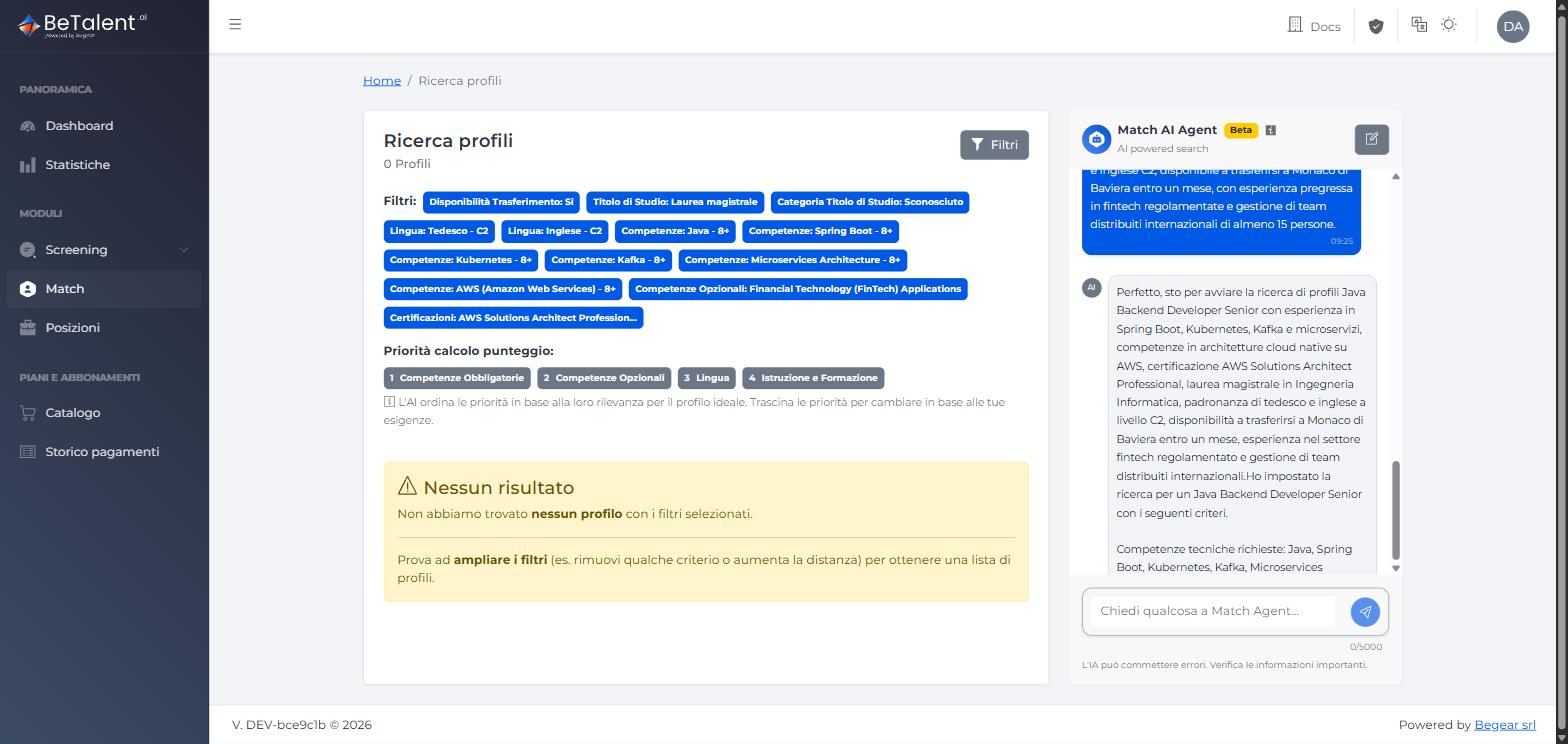
Results are shown as a ranked table (Nome, Profilo Lavorativo, Modalità di lavoro, Punteggio) whether they come from the filters panel or from the agent — both write to the same Filtri summary and priority list above the table, so you can always switch to manual filters afterwards to fine-tune a search the agent started.
Preview
Click the profile icon on any result row to open a quick preview without leaving the results:
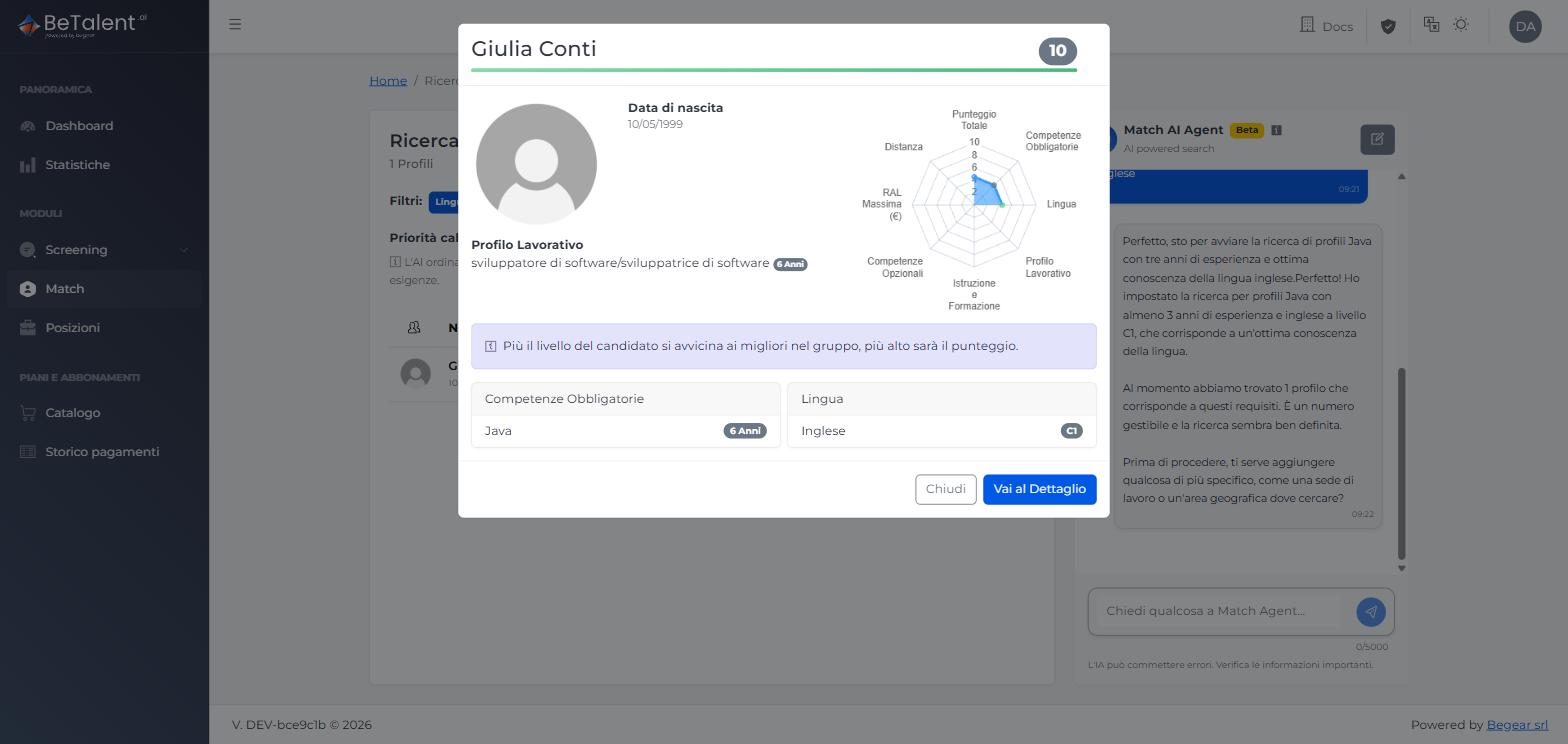
The preview shows the candidate's photo, date of birth, job profile, and a radar chart breaking the overall score down by criterion (Competenze Obbligatorie, Profilo Lavorativo, Lingua, Istruzione e Formazione, Competenze Opzionali, RAL Massima, Distanza) — only the criteria you actually searched on are populated. Sections with no data for that candidate are simply omitted rather than shown empty. From here, Vai al Dettaglio opens the full profile, and Chiudi returns to the results without losing your search.
Related
- Match — Overview — what the module does and how it fits with Screen.
- Screen — Browsing & Managing Profiles — the profile data this search runs against.
- Job Position — Searching & Associating Candidates — running a comparable search scoped to, and saved on, a specific position.